 ForkLog
Record time where you work
Scan the forklift QR code, start working, then enter the vessel and customer when finished. Manual entry is available when the camera cannot be used.
Time registration for ports and logistics
From a scan on the work floor to a clear overview in the office. ForkLog links working time to the forklift, location, vessel and customer.
Developed from practical experience in port logistics. Available for a guided pilot.
One registration for the administrative process
When working hours end up in separate notes and spreadsheets, the office has to ask for clarification. ForkLog keeps the work details alongside the measured time.
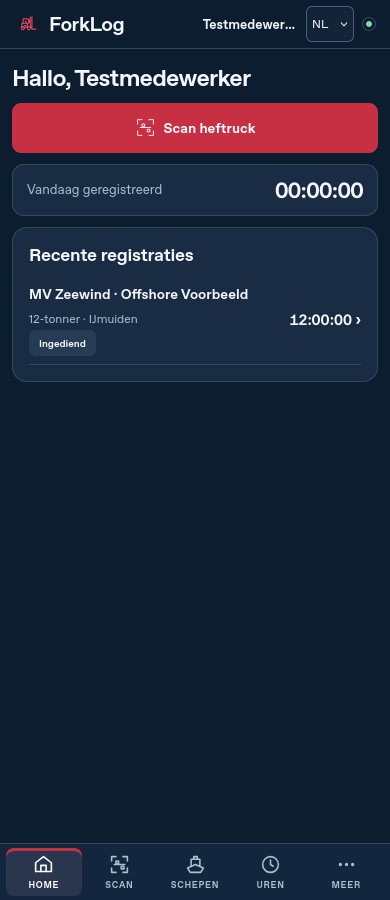
Scan the forklift QR code, start working, then enter the vessel and customer when finished. Manual entry is available when the camera cannot be used.
Split a session across several vessels or customers. The original measurement and the reason for a time correction remain available.
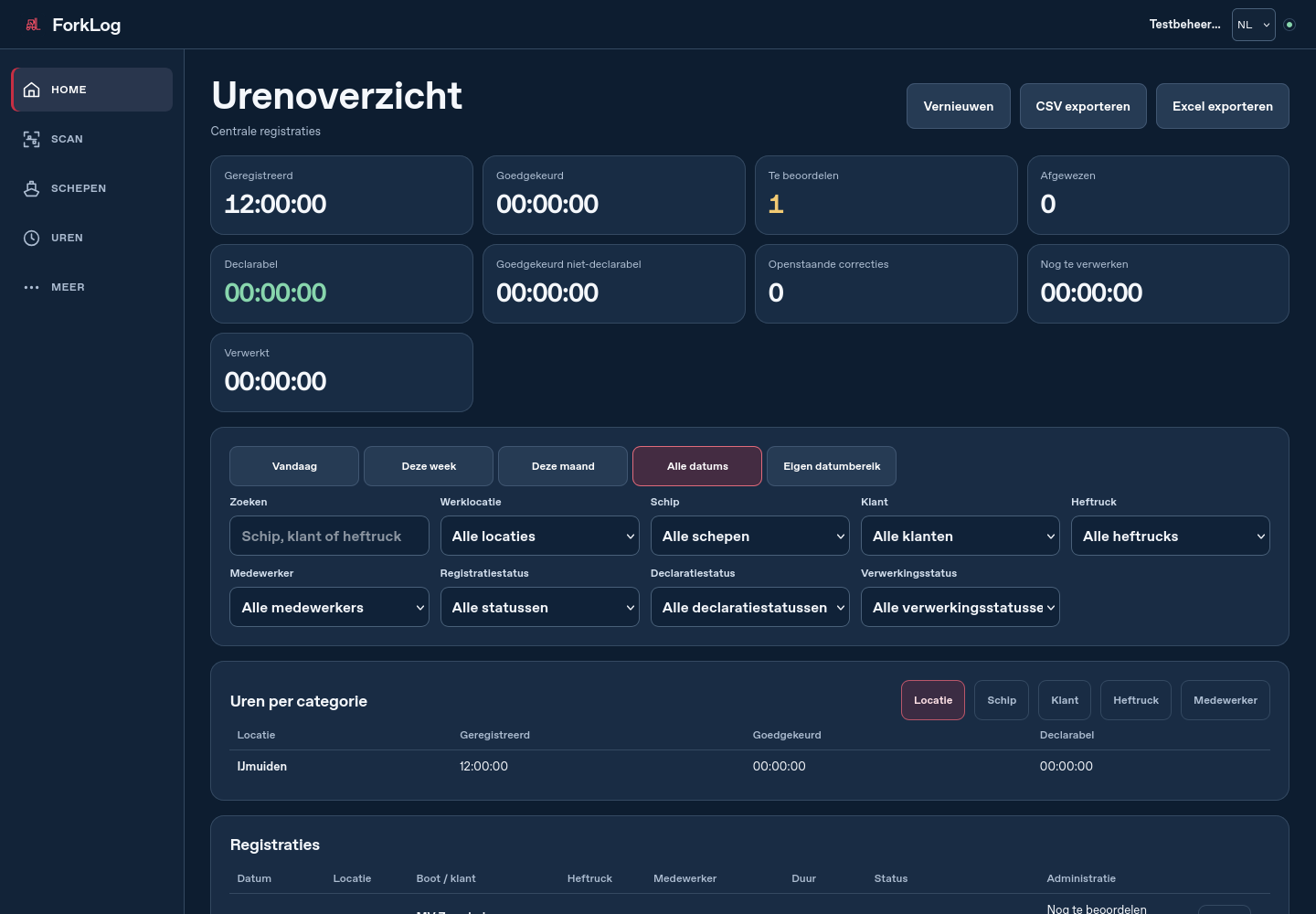
Authorised users review registrations and process billable hours. The dashboard and exports use the same underlying records.
Record on mobile, review centrally
Drivers keep the controls simple. Administration and managers get the details needed for review and processing.
After STOP, the truck and measured time appear first. Add a vessel and customer, or split the shift into work entries.
Hours awaiting a central confirmation stay visible on the device.
Search by vessel, customer or employee. Filter by billing and processing status. Excel and CSV use the same selected rows.
Original time, corrections and review decisions remain traceable.
For maritime and logistics teams
Track forklift work by location and vessel, including shifts that cover several activities.
Record which vessel and customer the work belongs to, with a traceable allocation of time.
Bring driver registrations together for review, processing and export by the office.
Try it yourself
Complete an example registration and see the administrative result. The demonstration uses fictional data within this window.
Demonstration with fictional data
This demonstration has no connection to the production database.
| Vessel / Customer | Duration | Status |
|---|
Your example registration appears here after saving.
Practical origins
ForkLog was developed from daily experience with forklift work and time reporting in port logistics. It focuses on clear registration for the driver and a useful overview for the office. Whoppy develops and maintains ForkLog. A business pilot is defined and assessed with the participating organisation.
ForkLog is a web application and can be added to the home screen as a PWA on suitable devices. Acceptance testing on the phones used by the team is part of the pilot.
An already opened registration remains in the encrypted local vault. Submissions await central confirmation. In the current pilot, reopening after closing the app requires an internet connection.
Yes. A session can contain several work entries. The allocated time remains linked to the original measurement. Corrections and reviews have their own workflow.
Authorised users can review registrations, check corrections and process hours. The overview is available as a CSV or Excel file.
The current pilot uses one existing business environment. A commercial service with isolated data for several businesses requires further development and verification.
The scope of a pilot depends on the organisation and intended use. Contact Whoppy to discuss it. This website offers no automatic subscriptions or payments.
Discuss how your team works
Tell us how you currently record and process forklift hours. Whoppy can discuss its application and a suitable pilot with you.